Case study
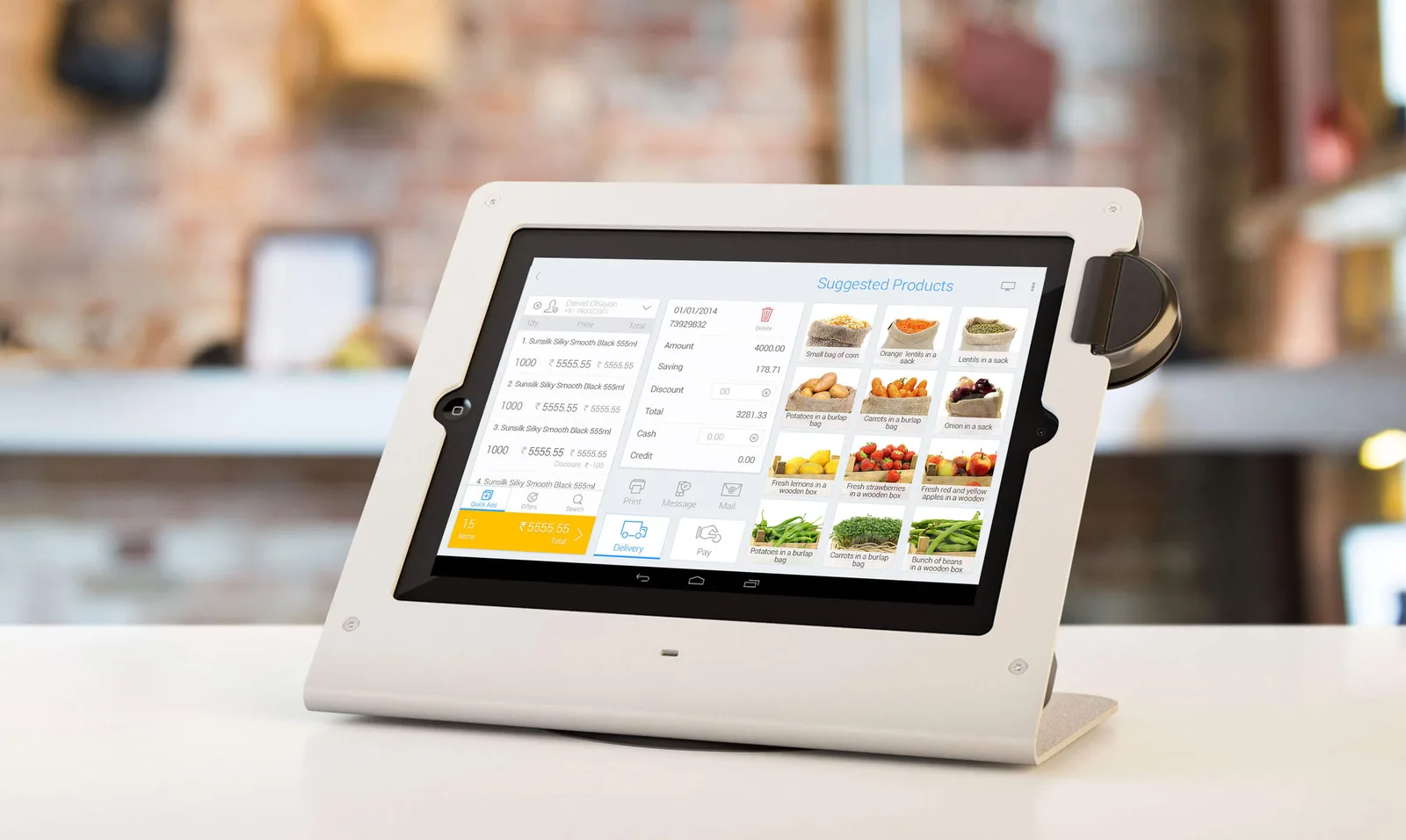
SnapBizz builds point-of-sale and inventory technology for small Indian retailers and neighborhood corner stores. We developed a custom Android POS system for SnapBizz, paired with a customer-facing display for offers and product recommendations. The first version was sold to thousands of corner stores, and SnapBizz went on to raise $7.2M.
The challenge
A neighborhood retailer has to move merchandise and keep track of stock with limited staff, variable connectivity and very little time for administration. SnapBizz set out to bring structured sales, stock and promotional workflows to the counter without making the shopkeeper's day harder.
That meant the software had to work for two people at once:
- The shopkeeper, who needs to ring up a sale quickly and accurately, often while serving several customers.
- The shopper, standing at the counter, who can be shown an offer or a relevant product at exactly the moment they are buying.
What we built
An Android POS made for the counter
We built a custom Android point-of-sale experience focused on speed and clarity. At checkout, a feature-rich dashboard gets in the way. Items, totals and promotions have to be obvious to the operator and the shopper, so we designed every screen around the transaction in front of them.
Inventory that follows the sale
Every purchase feeds the product's view of stock. The system tracks transactions and inventory together, helping the merchant see what sells. That link is what turns a checkout screen into a tool for running the store.
A second screen for the shopper
Alongside the POS, we built a customer-facing display for recommendations and promotions during checkout. The merchant-facing POS and the shopper-facing display serve different audiences, so we designed them as one coordinated experience: what the shopkeeper rings up and what the shopper sees stay in step.
How the workflow fits together
How a sale at the counter flows through the POS, the shopper display and stock.
Conceptual workflow
- User or operator
- Product experience
- Business workflow
- External or internal data/services
- Visible outcome or operational record
What changed
- The first version of the product was sold to thousands of corner stores.
- SnapBizz went on to raise $7.2M.
For a product built for small shops with thin margins, getting into thousands of stores is the real test. The software had to be simple enough to adopt and useful enough to keep.
How we'd build this today
How we'd build it today
SnapBizz came before Cortex. Rebuilding the same POS now, we would:
- Test the till before drawing it. Price calculation, cart edits, stock movements and refunds would each get automated tests first, so a retried sale can never post twice and a promotion change can never break a checkout total.
- Rehearse a bad network day. Shops lose connectivity. We would simulate dropped connections and device restarts in testing, so the counter keeps working and nothing is lost when the line comes back.
- Give every stock change a reason. Each inventory adjustment records why it happened and who made it, so a shopkeeper can trust the stock count.
- Use AI where it saves hours. Agents can turn product and pricing data into test cases, find awkward edge cases and draft code for an engineer to review. Money moves only through code a person has approved.
Frequently asked questions
What did CognitiveClouds build for SnapBizz?
A custom Android point-of-sale system with a customer-facing display for offers and product recommendations. It tracks transactions and inventory so merchants can see what sells.
What is the key lesson for retail POS products?
At the counter, clarity beats features. Items, totals and promotions must be instantly understandable to both the shopkeeper and the shopper.
Was Cortex used on the original project?
No. We built SnapBizz's POS before Cortex existed.
Next steps
Building software for small retailers or busy operators? Tell us about the counter, the stockroom and the network your users actually have.