Case study
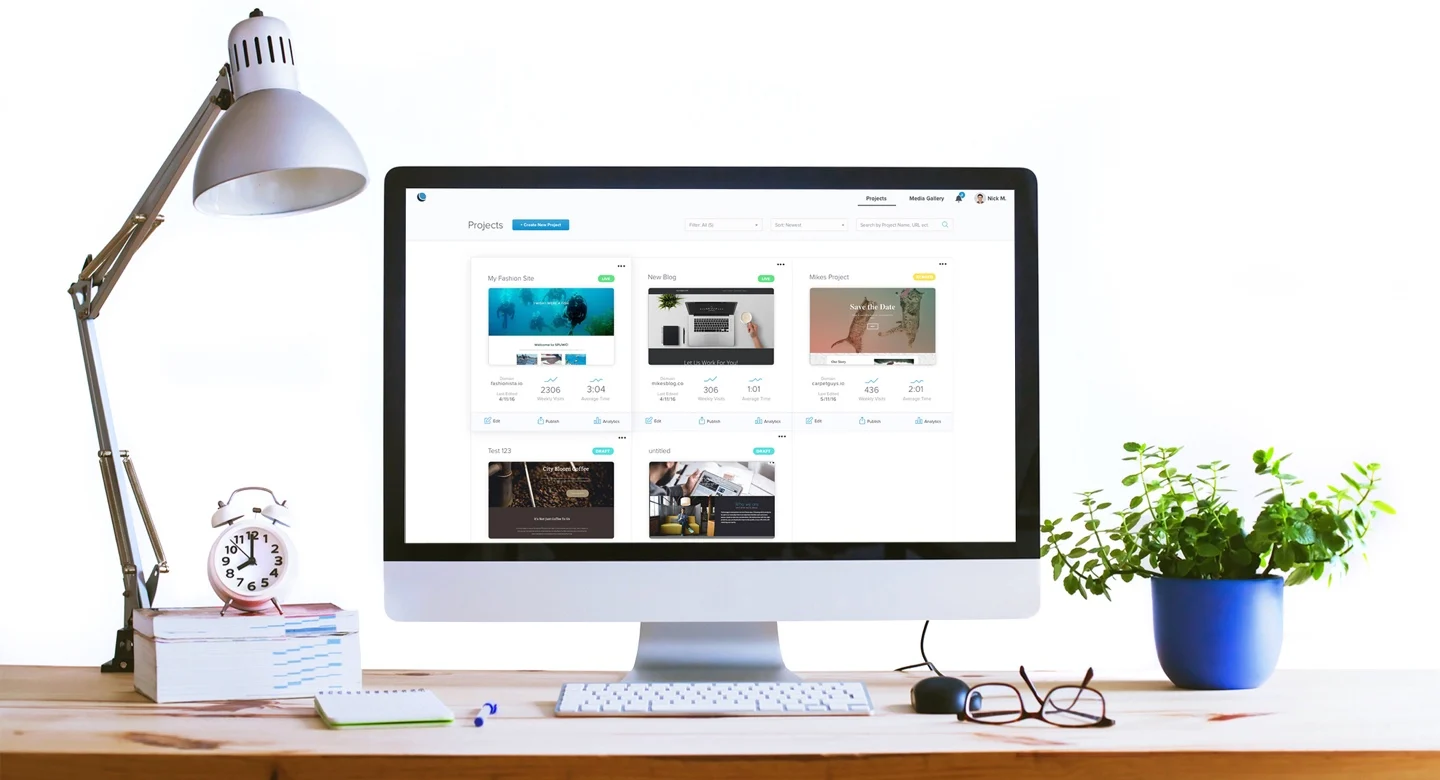
DreamHost is a web hosting company, and many of its customers are not designers or developers. DreamHost partnered with us to design and develop a technical tool for exactly those people: folks with little design or technical skill who still need to get something real online.
DreamHost partnered with us to design and develop a technical tool for folks with little design or technical skills.
The challenge
Hosting is full of power that most small-business owners never want to see. DNS, deployment and configuration all matter, but the person running a bakery or a local practice should not need to understand them to get their work done.
The tool had to take that technical capability and present it as a series of plain, confident decisions. That is a product-accessibility problem as much as an engineering one: every screen either builds a user's confidence or sends them to support.
How we approached it
We worked on both the design and the development of the tool, which let us treat the experience and the engineering as one problem.
- Start from the user's goal. People without technical training think in outcomes, not settings, so the tool needed to lead with what they are trying to do and handle the technical steps behind it.
- Show the next step clearly. A newcomer should always know what to do next and why.
- Explain problems in plain language. When something can't be done, the tool should say why and how to fix it, in words a non-developer understands.
- Make changes safe to try. Previews and reversible actions let people experiment without fear of breaking something.
Where tools like this go wrong
Tools for non-technical users fail in predictable places, and we design for them from the start:
- Interrupted setup. Someone leaves halfway through and needs to pick up where they stopped.
- Invalid domains and settings. Mistakes need a clear explanation and an obvious fix.
- Lost edits. Work in progress should survive a closed tab or a dropped connection.
- Inaccessible controls. Editing controls have to work for everyone, including keyboard and screen-reader users.
- Changes people regret. Rolling back should be as easy as making the change.
How we'd build this today
How we'd build this today with Cortex
This tool came before Cortex. Today we'd build it around the mistakes newcomers actually make.
- Start with real newcomer tasks. Write down what a first-time user is trying to do, such as pointing a domain at a site, and turn each task into a usability test.
- Throw bad input at it. Use Cortex Pods to generate a wide range of odd entries for every form and template field, so confusing errors are caught before customers see them.
- Map the hidden settings. Have agents trace which hosting settings each screen depends on, then simplify the screens where a user never needs to see them.
- Preview before anything goes live. No change that affects a live site is applied until the user has seen a preview and confirmed it.
One more rule: every message the tool shows must describe the site's real current settings, never a guess. Our engineers review each change to how the tool touches live sites before it ships.
Frequently asked questions
What did we do for DreamHost?
We designed and developed a technical tool for people with little design or technical skill.
Who was the tool for?
DreamHost customers without design or programming expertise who still need to manage something technical.
Was Cortex used on the original project?
No. We built the DreamHost tool before Cortex; the four steps above are how we'd do it today.
Making technical tools approachable?
We'd start by watching what your least technical customers try to do. See how we work.