Case study
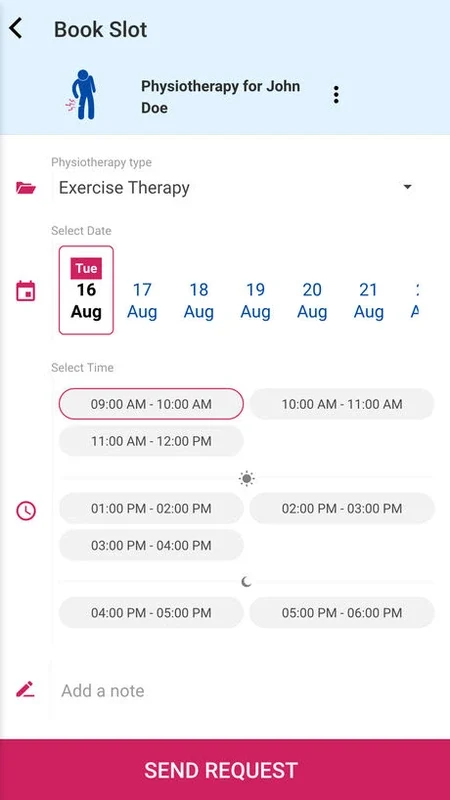
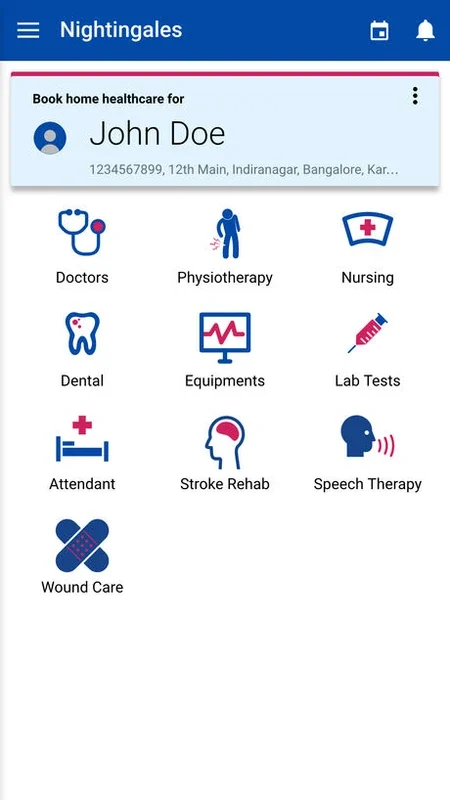
Nightingales makes seeing a doctor easier, starting with the appointment. We designed and built the Nightingales doctor appointment app for iOS and Android, so patients could book a doctor appointment within a few taps.
The challenge
Booking an appointment is often the first hurdle in getting care. Patients have to find the right clinician, work out when they are available and commit to a time, usually through a phone call or an awkward administrative process. Every bit of friction makes it more likely that someone puts off care or misses the visit altogether.
A booking app looks simple on the surface, but it lives or dies on the details. Time slots change, confirmations have to be real, and a reminder only helps if it arrives at the right moment for the right appointment.
What we built
We built Nightingales as a native app on both major mobile platforms:
- Booking in a few taps. Patients could find a time and book from iOS or Android in just a few steps.
- A built-in calendar. Upcoming appointments sat in one clear view.
- Reminders. A reminder service helped patients keep their appointments.
Behind the simple interface is careful handling of time slots, confirmations and reminders. The app has to reflect real availability and tell the patient plainly when an appointment is confirmed.
Nightingales remains one of the healthcare products we are proud to have developed.
From search to confirmed appointment
How a patient’s search becomes a booked appointment with a calendar entry and reminder.
Conceptual workflow
- Patient appointment search
- Clinician availability
- Appointment request
- Calendar and reminder
- Booking confirmation
How we'd build this today
How we would build it today with Cortex
Nightingales was built before we had Cortex. A booking app built with it today would start from the appointment itself:
- Model every appointment state, from search through booking, reminder and cancellation.
- Write test scenarios for time zones and double-booked slots before building screens.
- Generate accessible booking flows for iOS and Android from the same rules.
- Send reminders only with the patient’s consent, and test that a retried send never produces duplicates.
A chat assistant could help patients browse open times, but a slot is confirmed only once the booking system has saved it. The assistant never gives medical advice, and one patient’s appointment details are never visible to another.
Frequently asked questions
What did CognitiveClouds build for Nightingales?
A doctor appointment app for iOS and Android, with a calendar and reminders.
What matters most in a healthcare booking app?
Showing real availability and confirming an appointment only once it is saved. Reminders and accessibility come right after.
Was Cortex used on the original project?
No. We built Nightingales first; the steps above show how Cortex would change the build today.
More from our healthcare work
See our work or how we deliver today.